

Bandana Guy Chaos
📦 A chaotic meme-style pack with a shirtless bandana guy and bold Russian jokes. For teasing, hype, sarcasm, and absurd reactions. The 'Bandana Guy Chaos' pack includes 30 stickers must-have stickers. Free download to install on WhatsApp.
-

🙋 I’m here
Arms raised with a bold entrance caption. For announcing presence in a loud, funny way.
-

💃 Want to dance, kid?
A cheeky challenge with both hands up. Used to challenge someone playfully.
-

😏 I love jacking off
Shirtless pose with an explicit caption. Adult sexual humor.
-

🍿 Cinema?
Holding popcorn with a cool attitude. Used when asking about watching a movie or drama.
-

👉 Come here
A crouching reach toward the viewer. Used to summon someone closer.
-

🔁 Again
Leaning forward with a demanding expression. Used to ask someone to repeat themselves.
-

😂 You’re so funny
Smiling pose with a sarcastic caption. For ironic praise or mocking laughter.
-

👋 Cheering
Side pose with a casual greeting. Used as a casual hello.
-

👉 Come here, don’t be afraid
Inviting gesture with a playful grin. Used to encourage someone to come closer.
-

👉 Come here
A beckoning pose without text. Used to call someone over.
-

😍 Hey, handsome
Flirty smile with rosy cheeks. Used for flirting or playful teasing.
-
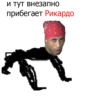
🐆 Ricardo
A crawling pose labeled with the name Ricardo. A meme character identification sticker.
-

🤨 Do you know why I’m here?
Standing proudly with a cheeky question. Used to draw attention with a bold question.
-

👉 Come here
A crouched reach with intense energy. Used to beckon urgently or mischievously.
-

💪 Strongman
Flexing with both arms raised. Used to show confidence or strength.
-

👮 Officer’s fine
A mock police joke with an official hat. Used as a playful authority joke.
-

👋 Hey there
A simple smiling glance with no text. Used as a friendly greeting.
-

🌈 Can I take you?
A rainbow-outlined crawling pose with a bold line. Used for cheeky pickup-line style messages.
-

🤔 What about sh...
A colorful pose with a slangy question. Used to ask what’s new in a casual way.
-

🗑️ Delete it
A smirking close-up with a blunt command. Used to tell someone to remove something.
-

🌙 Sweet dreams
A sleepy-night pose with moon and stars. Used before going to sleep.
-

👍 Master approves
A flexing approval gesture with a direct caption. Used to approve something in a macho way.
-

🤬 Pidoras found
A confrontational close-up with offensive slur text. Highly offensive insult.
-

😏 Smirk
A close-up face with a sly grin. Used for sly or amused reactions.
-

🙂 Close-up
A neutral close portrait with no text. Useful as a reaction face.
-
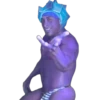
💙 Blue energy
Purple-tinted crouch with a fantasy crown. Used for playful power or magical vibes.
-

🎤 Calling you to the mic
Speaking into a microphone with a teasing smile. Used to call someone out publicly.
-

😎 Handsome devil
A pointing pose with a confident grin. Used as a playful compliment or self-callout.
-

👋 How’s it going?
A friendly sideways pose with a casual question. Used to start a casual conversation.
-

🙏 Help me
A crouching reach with a pleading vibe. Used when asking for help urgently or jokingly.
Download and Install on WhatsApp
The Sticker Maker app is necessary to install this sticker pack on your WhatsApp. If you don't have it, download it from: Google Play Store and App Store. Once you have it on your phone, follow these instructions:
- Download the sticker file we provide below (it has the .wastickers extension). Locate the downloaded file on your mobile and tap it. Your device will ask you which application you want to open it with; select Sticker Maker. The app will automatically recognize the file as a new sticker pack.
- Once you see the pack inside Sticker Maker, just press the button that says "Add to My Library", then "Add to WhatsApp" and that's it! Your new stickers will be available for use in all your WhatsApp conversations.
Use on Telegram
For Telegram users, installing a sticker pack is a native and extremely simple process. Just follow this link that will take you to Telegram: OHjJnWiYUJwCzoBdQj_by_stickers_stealer_bot. When the app opens, you will instantly see the pack and can add it to your library, without the need for third-party apps.